|
|
|
|
|
|
|
|
|
This is the first issue of the NonprofitNext newsletter. Twice a month, on the 15th and the last day of the month, I will send you our newest blog posts, a short set of AI news stories that matter to nonprofits, and one way NonprofitNext can help.
|
|
|
Most of this issue comes back to one idea. Before an AI tool goes to work in your organization, someone has to decide what it is allowed to do. That is the focus of our featured post, our service spotlight, and the first news story below.
|
|
|
If something here is useful, or you have a question, reply to this email. It comes straight to me.
|
|
|
|
|
|
|
|
|
Co-Founder, NonprofitNext
|
|
|
|
|
|
- A guide to your first AI policy, and our newest app designed for case file quality assurance
- Our AI Policy Development service
|
- Five AI news stories, including a free cybersecurity playbook and a Medicare pilot that doctors are pushing back on
- One thing to try this week, and a way to send me your questions
|
|
|
|
|
|
|
|
|
|
Nonprofit AI Policy: A Guide for Getting Started
|
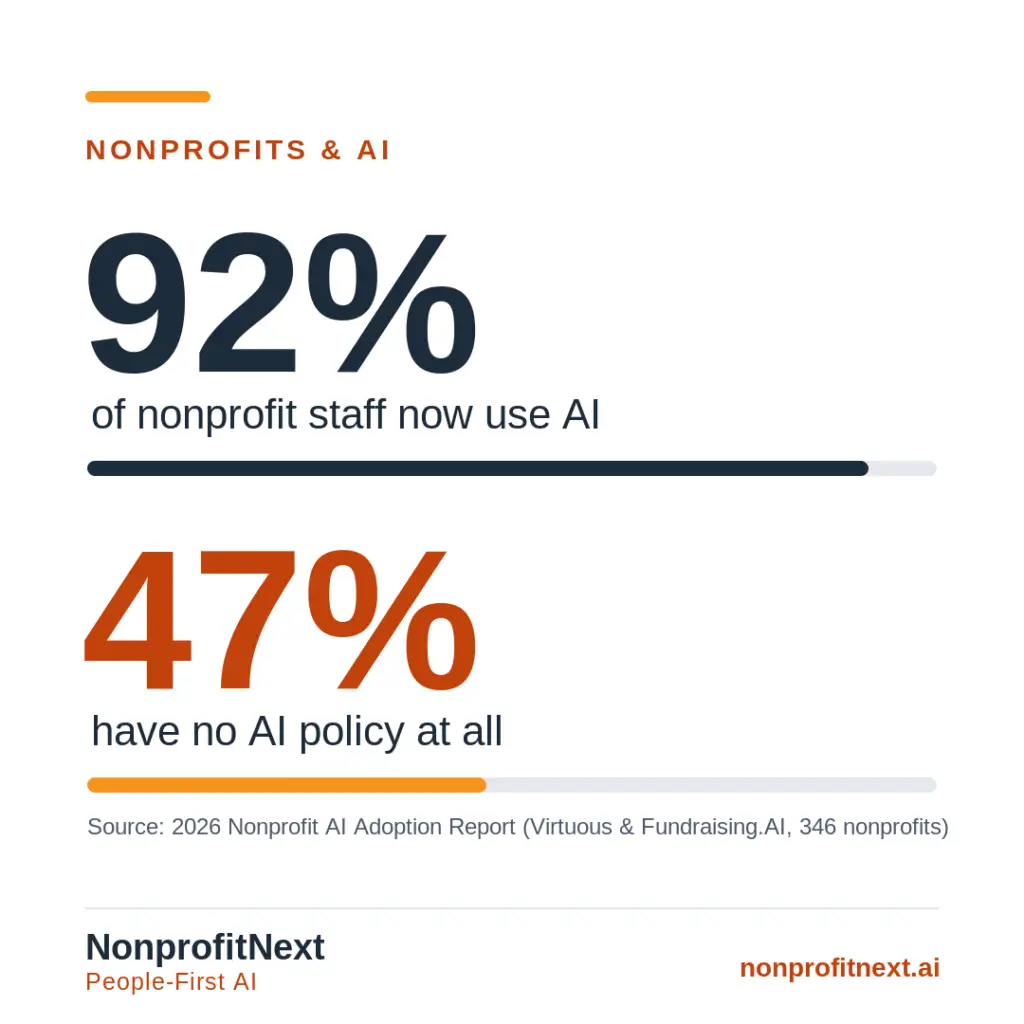
Your staff are already using AI. The 2026 Nonprofit AI Adoption Report from Virtuous and Fundraising.AI found that 92 percent of nonprofits now use AI in some form, and nearly half have no policy for it. This guide is written for small or mid-size organizations and walks you through how to get an AI policy in place without starting from a long corporate template.
|
|
|
|
Our Newest App: Automated Quality Assurance for Case Management Documentation
|
Most nonprofits already have the information they need to check whether case files are complete and services are recorded correctly. What they lack is the time to review it consistently. This post explains how the NonprofitNext Quality Assurance Tool reviews case management exports against your organization's own rules, flags missing information and service-record mismatches, identifies missed opportunities to document goals and services, and shows problems that repeat month after month. The tool also reviews to ensure that documentation reflects consumer control and decision-making on the part of the participant. Staff and supervisors still make every final decision and correction.
|
|
|
|
|
|
|
|
|
|
|
Service SpotlightNonprofit AI Policy Development
|
|
|
|
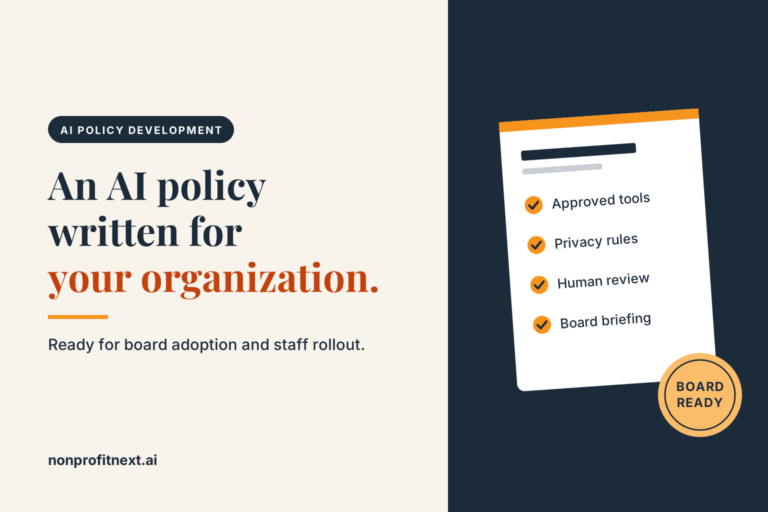
NonprofitNext can write a complete AI use policy for your organization for one flat fee. The work includes one working session with your executive director or a staff member you choose, a policy written for your organization rather than being adapted from a generic template, one round of revisions, and a one-page briefing for your board. The finished policy is ready for board adoption and staff rollout.
|
|
|
|
|
|
|
|
|
|
AI News That Matters to Nonprofits
|
Five stories chosen for nonprofit leaders who do not have time to follow the tech press.
|
|
|
|
|
Before You Turn On an AI Feature, Decide How Much Authority It Gets
|
A short piece from CharityEngine's Weekly Spark swaps the usual question, whether to use AI, for a more useful one: how much authority are you giving it. When AI drafts something, a person reviews it. When AI recommends something, a person decides. When AI acts on its own, leadership sets the limits ahead of time.
|
|
|
The piece ends with three questions to ask before switching on any AI feature: what can it see, what can it change, and how do we undo it. If no one on your team can answer all three, the author says the tool is not ready. Note: CharityEngine sells fundraising software, and the article includes one brief mention of its own product.
|
|
|
Larry's take: I would add one step. Write the answers down. If your organization has an AI policy, those three questions belong in it.
|
|
|
|
|
|
|
|
Is Your Nonprofit Showing Up in AI Answers?
|
AI tools now sit between people and the information they are looking for. That means a growing number of people will first learn about your organization through a chatbot's answer instead of your website. Pew has published a free guide for nonprofit communicators on how to prepare.
|
|
|
The core step is something your team can start this week. Write down 10 to 20 questions your organization should be the answer to, ask them in several AI tools, and note whether you are mentioned, whether the facts are right, and whether there is a link back to you. Then repeat the check over time to see what changes.
|
|
|
Larry's take: For nonprofits providing human services, this matters more than for most organizations. People looking for help with housing, benefits, or equipment may ask an AI tool before they ever call you, and a wrong answer about your services can send them somewhere else. AI is starting to replace the standard Google search. Is your organization ready for this shift?
|
|
|
|
|
|
|
|
A Free Cybersecurity Playbook, Updated for AI
|
Community IT, which provides tech services to nonprofits, has updated its free Cybersecurity Playbook. The update covers what AI has changed, such as more convincing phishing emails, and what it does not change: you still need multifactor authentication, staff training, and a plan.
|
|
|
A new short guide, Start Here: Nonprofit Cybersecurity Basics, is written for executive directors, board members, and staff who handle technology without formal training. Both downloads are free. A live webinar on the update is scheduled for Wednesday, October 21, from 3 to 4 p.m. Eastern.
|
|
|
Larry's take: If you only take one thing from this playbook, turn on multifactor authentication for every staff email account. It costs you nothing, it does not take long, and it is one of the most effective protections a small organization can put in place.
|
|
|
|
|
|
|
|
A Medicare Pilot Is Using AI to Review Authorization Requests, and Doctors Are Pushing Back
|
Since January 1, a federal Medicare pilot called WISeR has used private contractors, working with AI, to review prior authorization requests for 17 procedures in six states: Arizona, New Jersey, Ohio, Oklahoma, Texas, and Washington. The Centers for Medicare and Medicaid Services says the goal is to reduce wasteful spending and fraud. At a roundtable in Washington State, physicians said the reviews routinely deny care for chronic pain, sleep apnea, incontinence, and wounds that are not healing, and that appeals can take months. Senator Patty Murray said the contractors are paid a percentage of the care they deny.
|
|
|
For organizations that serve older adults and people with disabilities, this is a clear example of what can happen when an AI system is rewarded for the wrong outcome.
|
|
|
Larry's take: Before you adopt any AI tool, consider where and how it will make decisions, what parts of your organization it involves, what bias the AI tool brings with it, and whether the task would be better handled by your team. This is a clear case where the risks to the health and well-being of Medicare beneficiaries are significant while, according to Senator Murray, a contractor receives a financial incentive for using AI to deny claims.
|
|
|
|
|
|
|
|
A $50 Million Fund Is Paying Community Nonprofits to Explore and Use AI
|
The OpenAI Foundation named 163 community nonprofits in 35 states and Washington, D.C., to share in $50 million in unrestricted grants from its People-First AI Fund. Grantees include legal aid, housing, food, and disability service providers, along with arts groups and local news outlets.
|
|
|
The announcement does not indicate if there will be additional funding opportunities in the future. However, it does show that major funders see that AI can benefit community organizations and improve services.
|
|
|
Larry's take: Even if you did not apply this round, the grantee list is useful. It shows the kinds of AI and technology related projects funders are willing to pay for, and it is a good place to find organizations like yours to learn from. Keep watching for additional funding opportunities from the OpenAI Foundation and others.
|
|
|
|
|
|
|
|
Something to Try This WeekFind Out What AI Tools Say About Your Organization
|
This takes about 15 minutes. Open two or three AI tools, such as ChatGPT, Gemini, or Copilot. You will want to use incognito or private chat mode for this exercise so the tool does not know who it is talking with, as it might otherwise draw on its memory. In each one, ask what your organization does and how someone can get help from you. Compare the answers with what you actually offer: programs, eligibility, hours, and contact information. Write down anything that is wrong or missing.
|
|
|
For example, "Help me find an organization that provides food boxes in Fargo." Or, "I'm looking for utility assistance and I live in Detroit."
|
|
|
If the answers are off or if you are not being mentioned in the results, the Pew guide above suggests starting with your own website, by making key information clear and easy for these tools to read. This might include creating an llms.txt file, a new page on your website of frequently asked questions about your organization, and taking other steps. Reach out to NonprofitNext for assistance if needed. We can help you take steps so that you can take advantage of this opportunity.
|
|
|
|
|
|
Send Me Your Questions
|
Starting with the next issue, I will answer one reader question about AI in each newsletter. Reply to this email with yours. I will not use your name or your organization's name unless you tell me it is okay.
|
|
|
|
|
|
|
|
If you have questions about AI at your organization or want to talk about how NonprofitNext can support your work, reply to this email or get in touch.
|
|
|
|
|
|
|
|
|
|
|
|