
Guide
AI for Nonprofits: A People First Guide to Getting Started
Getting started with AI at your nonprofit does not require a tech team or a big budget. It starts with one or two real problems and a people first approach that keeps your staff in control.
Getting started with AI at your nonprofit does not require a tech team or a big budget. It starts with one or two real problems, like board reporting or client intake, and a people first approach that keeps your staff in control. This guide is written for small and mid-size nonprofits that want a practical, ethical place to begin.
If you work in the nonprofit sector, you have heard a lot about artificial intelligence over the past few years. Some of it is exciting. Some of it is alarming. Most of it probably feels like it was written for someone else: someone with a technology team, a software budget, and time to spare. You are busy running an organization. This guide was written for you.
At NonprofitNext, we work specifically with small and mid-size nonprofits, organizations doing important work with limited resources, overworked staff, and no shortage of people telling them they need to adopt AI. We have spent decades leading nonprofits from the inside. We know what the daily reality looks like, and we know that most of the AI conversation happening right now is not speaking to it.
So here is what we actually want you to know about AI: what it is, what it can realistically do for your organization, how to get started without breaking your budget or burning out your team, and what to watch out for along the way.
No hype, no jargon, just honest guidance from people who have been in your seat.
In this guide
- What Is AI, Really?
- Why Nonprofits Are Uniquely Positioned to Benefit
- Five Ways Nonprofits Are Using AI Right Now
- What People First AI Means and Why It Matters for Nonprofits
- How to Get Started: A Three-Step Framework
- AI Tools Nonprofits Actually Use
- Common Mistakes to Avoid
- How NonprofitNext Can Help
What Is AI, Really?
Artificial intelligence is a broad term for technology that can perform tasks that typically require human thinking: things like understanding language, recognizing patterns, generating text, summarizing information, and answering questions.
The AI tools most relevant to nonprofits right now fall into a few categories.
Generative AI
Tools like ChatGPT, Claude, Microsoft Copilot, and Google Gemini can read, write, summarize, and respond in natural language. You give them a prompt, a question or instruction, and they produce a response. These tools are particularly useful for drafting communications, summarizing documents, creating reports, and answering routine questions.
Automation Tools
More advanced tools like Zapier, Make, and Power Automate connect your existing applications and trigger actions automatically. When a form is submitted, an email goes out. When data is entered in one system, it updates another. When a deadline passes, a reminder is sent. Automation does not require AI in the traditional sense, but it is often grouped with it because the outcome is similar: your team spends less time on repetitive tasks.
AI Features in Software You Already Own
Many tools your organization already uses, including your email platform, your CRM, and your grant management software, are quietly adding AI features such as summarization, smart drafting, and predictive suggestions. You may already be using AI without calling it that.
AI is a category of tools rather than a single thing, and different tools are useful for different problems. Instead of asking “should we use AI,” ask “which specific problem are we trying to solve, and is there an AI tool that can help?”
Why Nonprofits Are Uniquely Positioned to Benefit
There is a common assumption that AI is primarily a tool for corporations: for scaling sales, cutting headcount, or automating customer service. And while it is certainly being used that way in the private sector, the nonprofit sector has something the private sector rarely has: a genuinely mission-driven reason to care about what technology does to people. That is an advantage, not a limitation.
Here is the reality many nonprofit leaders are living: their staff are committed, capable people who spend significant portions of their day on administrative work that pulls them away from the reason they took the job. Case managers writing the same documentation over and over. Development directors copying data between systems. Program staff generating reports from spreadsheets that have not been updated.
This is one of the primary drivers of nonprofit staff burnout, and burnout is one of the primary reasons organizations lose their best people.
AI and automation, implemented thoughtfully, can give that time back, so the people you have can do more of what they actually came to do.
Nonprofits also tend to operate in Google Workspace or Microsoft 365 environments, which means the infrastructure for AI tools is often already in place. You may not need new software. You may simply need to understand what is possible with what you already have.
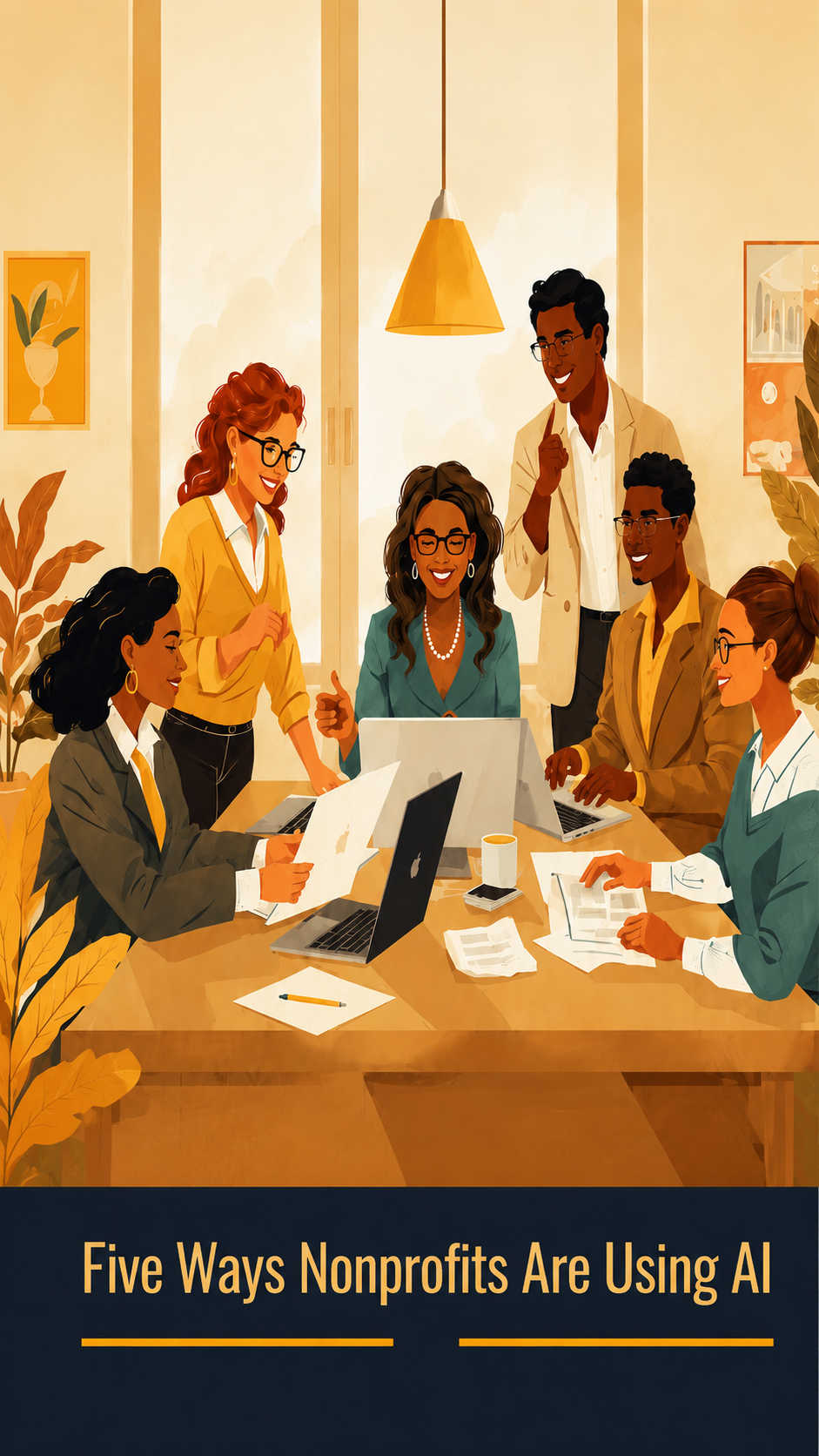
Five Ways Nonprofits Are Using AI Right Now
These are not hypothetical use cases. These are the kinds of applications we see working in small and mid-size nonprofit organizations today.
1. Case Notes and Documentation
Case managers and social workers spend significant time writing case notes after client interactions. AI tools can help structure and draft those notes based on a brief summary, reducing documentation time from 20 or 30 minutes to five or ten. The case manager reviews, edits, and approves. The professional judgment stays human, but the administrative burden drops substantially.
What to watch for: Client data is sensitive. Any tool used for case documentation must be evaluated carefully for how it stores and handles that data. This is a place where getting expert guidance before implementing is worth the investment.
2. Grant Writing and Reporting
AI tools are not going to write a compelling grant proposal from scratch. Funders can tell, and the nuance of your organization’s story requires a human voice. But they can help significantly with the scaffolding: drafting sections based on prior proposals, summarizing program data for narrative sections, suggesting language for logic models, and helping staff overcome blank-page paralysis.
For reporting, AI can help pull together data summaries, draft narrative sections, and format outputs in ways that save hours of work on each grant cycle.
3. Donor and Volunteer Communications
Personalizing outreach at scale is one of the most time-consuming tasks for development and volunteer management teams. AI can help draft templated communications that feel personal, suggest follow-up timing, summarize donor histories before a meeting, and generate thank-you language that fits the type of gift or involvement.
This is also one of the lower-risk places to start. Donor communications do not typically involve sensitive client data, and the downside of an imperfect draft is low.
4. Data Dashboards and Reporting
Many nonprofit leaders make decisions based on data they do not have easy access to, or that requires significant manual effort to compile. Tools like Microsoft Power BI, Google Looker Studio, and similar platforms can pull data together from across your systems and present it in a format that makes sense to non-technical leaders.
When we talk about AI strategy and design at NonprofitNext, this is often one of the first places we work: giving leadership a real-time view of what is happening across finance, programs, and fund development, so decisions can be made with actual information rather than best guesses.
5. Information and Referral
Nonprofits that connect clients to services, such as food pantries, housing organizations, community health centers, and 211 programs, often field high volumes of repetitive questions. AI-powered chatbots can handle initial intake, answer common questions, collect demographic information, and direct people to the right resources, freeing staff for conversations that actually require human judgment and compassion.
The point is to make sure the human interaction happens where it matters most, and that staff are not spending their afternoon answering the same three questions for the fortieth time that week.
What People First AI Means and Why It Matters for Nonprofits
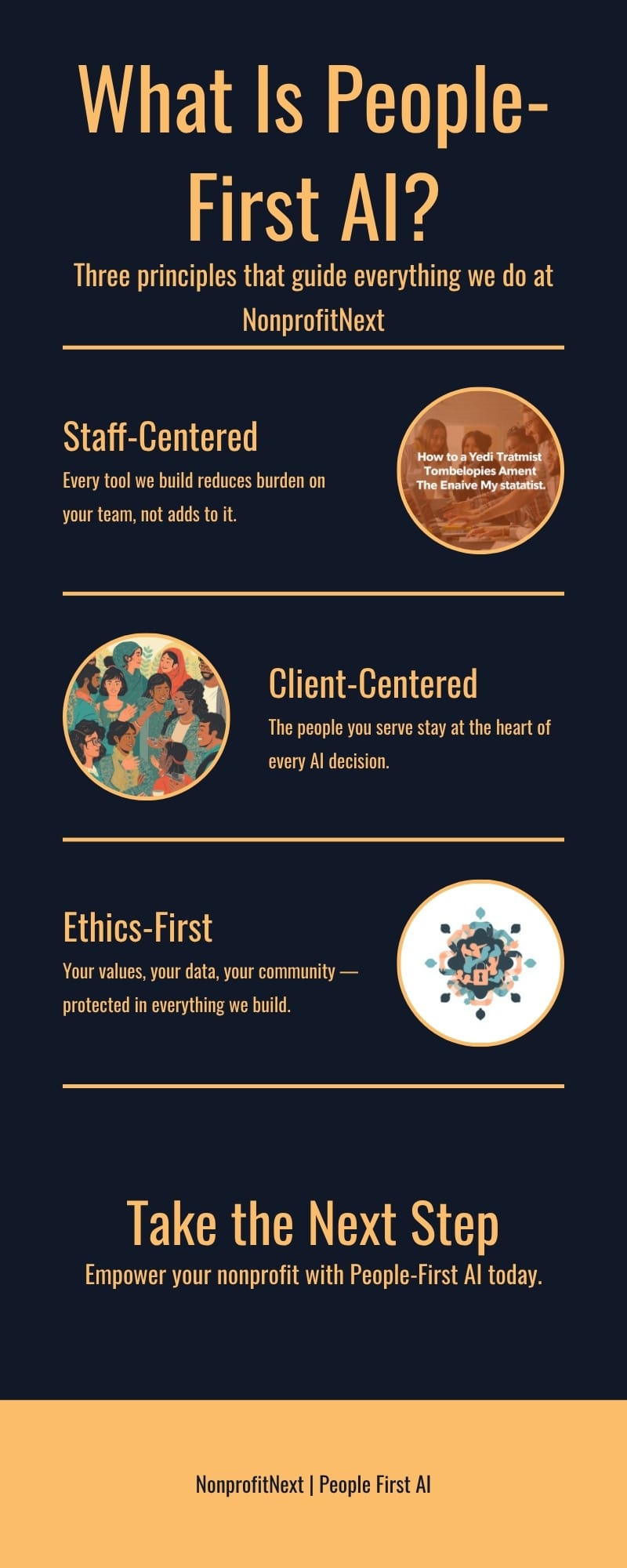
At NonprofitNext, we build every engagement around what we call People First AI. The name describes a different way of working with AI than the one most technology companies sell, and the difference matters.
People First AI is a framework for making technology decisions that centers the people involved in and served by your organization, rather than treating efficiency as the primary goal. In practice, it means three things.
Technology that supports your staff, not replaces them
Every AI decision should be evaluated against one question: does this make the people doing this work more capable and less burdened, or does it simply increase efficiency and reduce headcount? For nonprofits committed to their staff and to their community, the answer should consistently be the former. AI that frees a case manager to spend more time with clients is a good use of AI. AI implemented primarily to eliminate positions is a different conversation entirely.
Technology that protects the people you serve
Your clients are often in difficult situations. Many have good reason to be cautious about how their information is handled. Any AI tool your organization uses must be evaluated for data privacy before it is deployed, not after. Where is the data stored? Who can access it? Is client information being used to train a commercial model? These are the right questions to be asking.
Technology that aligns with your mission, not just your operations
If your organization’s mission is environmental justice, you probably want to know that large language models consume significant amounts of energy and water. If your mission involves racial equity, you should understand that AI systems trained on biased data can reproduce and amplify those biases. None of this means AI is off-limits. It means your AI decisions should be made with your values in mind.
People First AI is a lens for deciding how and why you use technology, and for making sure that the tools you adopt genuinely serve your mission rather than quietly working against it.
How to Get Started: A Three-Step Framework
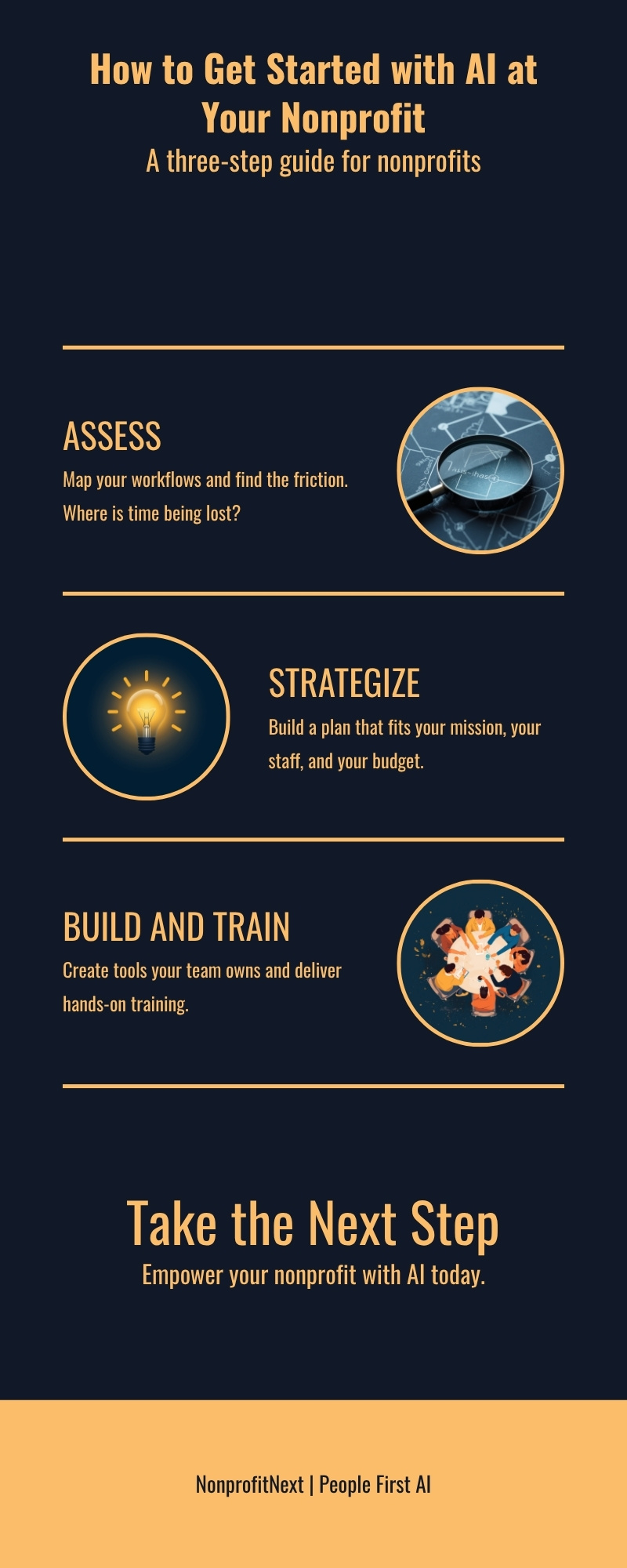
The most common mistake organizations make when approaching AI is starting with the tools instead of starting with the problem. They hear about ChatGPT, they sign up, they ask it a few questions, and then they are not sure what to do with it. That is a strategy failure, not a technology failure. Here is a framework that works.
Step 1: Assess. Map Your Workflows and Find the Friction
Before you look at a single AI tool, spend time inside your own operations. Where is time being lost? What work do your staff find most draining? Where are the frustrations and issues that slow everything else down?
The most revealing question you can ask your team is not “what would you do with AI?” Most people do not have a clear answer to that. A better question is: “What tasks do you do repeatedly that feel like they should not require a person?” The answers to that question are your starting point.
What you are looking for: Repetitive documentation, manual data transfers between systems, time-consuming reporting, high-volume routine communications, and questions that staff answer over and over.
Step 2: Prioritize. Start Small and Win Fast
Once you have mapped your friction points, resist the temptation to solve everything at once. Pick one workflow. Ideally one that is high-frequency, low-stakes, and does not involve sensitive client data. Run a small pilot. Learn what works. Build your team’s confidence and your organization’s trust in the technology before you expand.
This approach, sometimes called crawl, walk, run, is strategic rather than timid. Organizations that try to transform everything at once almost always end up with low adoption, frustrated staff, and technology sitting unused. Organizations that start small and build on success almost always end up going further.
A good first project looks like: Automating a routine email notification, creating a draft template for a recurring report, or setting up a simple chatbot to answer the most common questions your program receives.
Step 3: Build and Train, Together, Not Separately
The most common implementation mistake we see in nonprofits is introducing new technology without meaningful staff involvement in the process. Tools get built. Trainings get scheduled. Staff arrive, learn the tool in an hour, and then go back to doing things the old way, because the tool was designed around efficiency metrics, not around how they actually work.
Implementation and training run in parallel, not in sequence. Your staff should be involved in defining the problem, reviewing proposed solutions, and testing tools before they go live. When people feel like technology was built for them and with them, adoption follows. When they feel like it was dropped on them from above, it rarely does.
At NonprofitNext, our Build and Train phase always includes hands-on training where staff use the tools in the context of their actual work, not a demo environment, and not a slide deck.
AI Tools Nonprofits Actually Use
This is a fast-moving space, and specific recommendations can go out of date quickly. What follows is a brief orientation to the categories most relevant to nonprofits. Read our detailed guide to choosing AI tools for nonprofits.
- General-purpose AI assistants: ChatGPT (OpenAI), Claude (Anthropic), Microsoft Copilot, Google Gemini. These are the large language model tools most people are familiar with. Nonprofits can access discounted or free tiers of several of these.
- Workflow automation: Zapier, Make, and Microsoft Power Automate are the most common. Power Automate is included in Microsoft 365, which many nonprofits already have through TechSoup licensing.
- Data and reporting: Microsoft Power BI and Google Looker Studio for dashboards. Both integrate with data you already have and are accessible without an in-house data team.
- Document and writing tools: Microsoft Copilot inside Word and Outlook, Grammarly for editing, AI-assisted grant writing tools like Instrumentl.
- Client-facing tools: Chatbot platforms such as Tidio, Botpress, or custom solutions built on existing platforms. The right choice depends heavily on your use case and data privacy requirements.
A note on data privacy: before connecting any AI tool to client data, volunteer records, or donor information, evaluate how that tool handles data storage, retention, and use for model training. If you are not sure how to evaluate them, that is exactly what a free initial call with our team is for.
Common Mistakes to Avoid
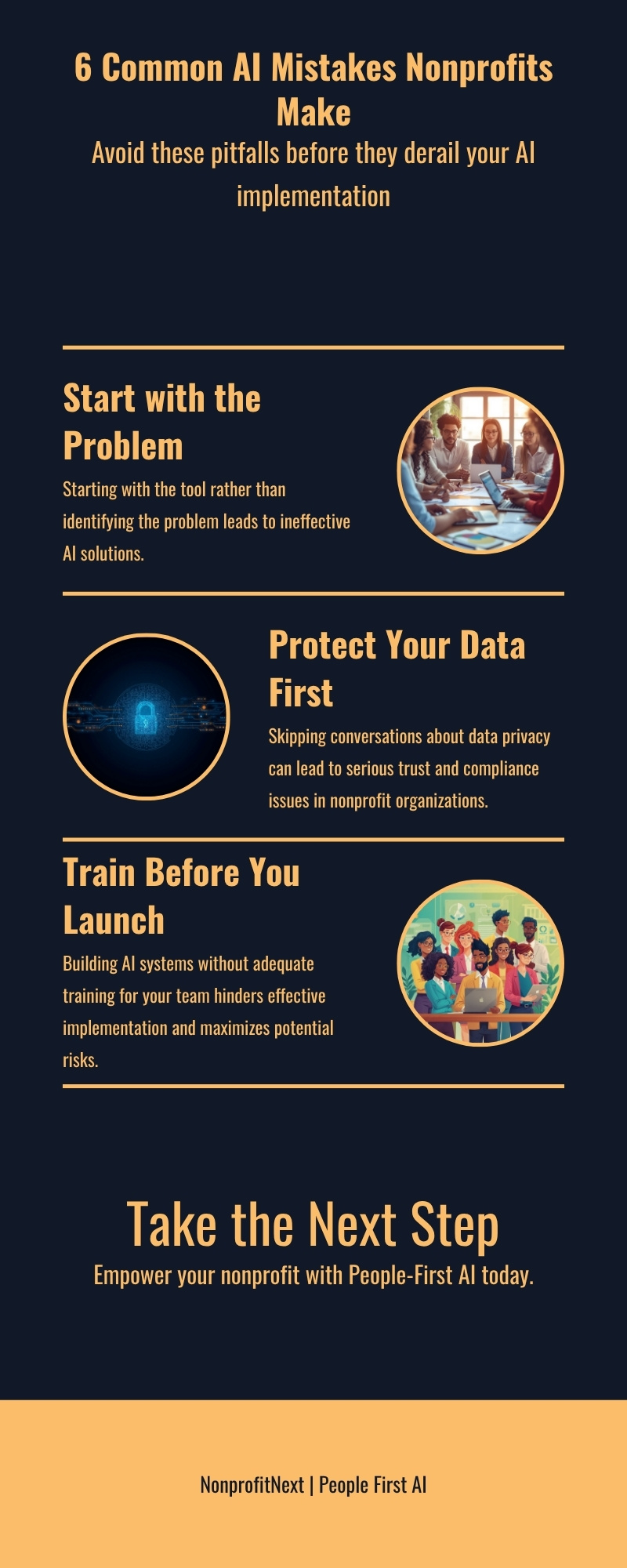
We have seen enough nonprofit AI implementations to know where things tend to go wrong. Here are the most common mistakes, and how to avoid them.
Starting with the tool instead of the problem
“We want to use ChatGPT” is not an AI strategy. “We want to reduce the time case managers spend on documentation” is. Always define the problem before you evaluate tools. The tool that is right for your problem may not be the one you have heard the most about.
Skipping the data privacy conversation
This is the mistake with the highest potential cost. Entering client information into a commercial AI tool without understanding how that data is stored and used is a real risk: legal, ethical, and reputational. Do this evaluation before deployment, not after something goes wrong.
Building without training
Technology that your staff do not understand, trust, or know how to use will not get used. Budget time and resources for meaningful training: not a one-time session, but ongoing support as people encounter real questions in their actual work.
Trying to do everything at once
Organizations that try to transform everything simultaneously almost always fail. The complexity compounds. Staff get overwhelmed. And when things do not go smoothly (which they will not, because they never do) there is no small, controlled environment in which to troubleshoot. Start with one thing. Do it well. Build from there.
Treating AI as a cost-cutting measure
If the primary goal of your AI implementation is to reduce headcount, your staff will know it. Trust will erode. Adoption will suffer. And you will likely lose the people who understand the work well enough to know which AI outputs are good and which are dangerously wrong. AI works best in organizations that are transparent about using it to expand capacity, not eliminate positions.
Forgetting about the people you serve
AI decisions in nonprofits are mission decisions, not just operational ones. If an AI system you deploy affects how clients experience your services (how they are screened, assessed, communicated with, or referred), then those clients deserve a voice in that decision. Engagement and transparency with the people you serve is part of what it means to operate ethically in this sector.
How NonprofitNext Can Help
NonprofitNext was built specifically for organizations like yours: small to mid-size nonprofits doing meaningful work without the luxury of a technology department, a six-figure software budget, or the time to sort through an overwhelming amount of conflicting advice.
We are not outside technology consultants who learned about nonprofits from a sales training. We are former nonprofit executives, finance leaders, and operational strategists who happen to know a great deal about AI. We understand grant cycles, board governance, funder expectations, staff burnout, and the daily reality of doing more with less, because we have lived it.
Our work with organizations typically includes:
- Organizational Assessment: We start by listening. We spend time with your leadership and your team to understand where the friction is, what your technology environment looks like, and what a realistic path forward might be.
- AI Strategy and Design: We develop a clear, practical plan built around your organization’s mission, culture, and capacity, and we present it in plain language, not a technical report.
- Build and Train: We build using standard, low-code tools that run inside platforms you already own and control. You own everything we build: no ongoing licensing fees to us, no vendor dependency. And we train your team to use it.
We also offer a free 30-minute call for any nonprofit that wants an honest conversation about where they stand and what a thoughtful next step might look like. No pitch. No pressure. Just a conversation.
Have more questions about AI for nonprofits? Visit our FAQ for quick answers, or explore our blog for more in-depth guidance on topics like AI governance, data privacy, and People First AI in practice.
Ready to take a step forward?
Book a free 30-minute call with our team, and we will help you find the right starting point for your organization.
Ready to Put This to Work?
A short conversation is the fastest way to find out where AI can help your organization first.
Schedule a CallSee the Readiness Assessment