
Case Study
Zero Entry Inventory: Nonprofit Inventory Automation at Able South Carolina
About the Organization
Able South Carolina, statewide. Able SC provides assistive technology and disability services across South Carolina, including an assistive technology and donated equipment reuse program.
Able SC is a Center for Independent Living. The same system fits any nonprofit where things arrive, get checked out, and need to be accounted for. See where else this fits.
The Challenge
Managing a high volume of donated equipment was becoming a serious problem. Manual Excel sheets created ghost inventory: items marked available that had already been distributed, and multiple versions of the tracking sheet holding conflicting data. The result was operational friction, frustrated staff, and worst of all, the risk of promising a device to someone only to find the shelf empty.
The Solution
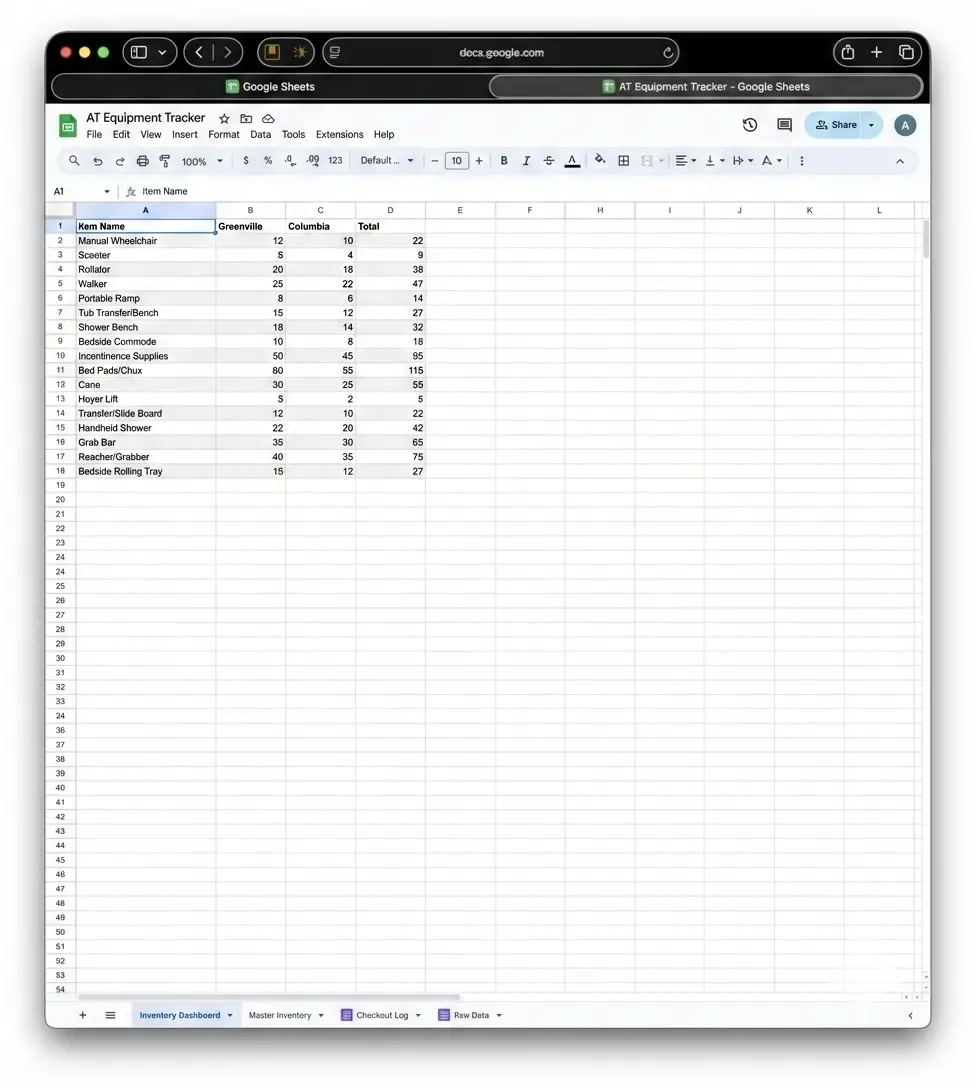
We built a no-code inventory system on tools the organization already used every day: Google Forms and Google Sheets, with Zapier added to connect them. Nothing gets typed twice, and there is no new software subscription to carry.
- The intake When a donation arrives, staff fill out a simple Google Form. The system instantly logs the data to a Google Sheet, generates a unique asset ID, and emails a printable QR code to tag the item.
- The donor touchpoint At the same time, the system generates and sends a personalized tax receipt directly to the donor, with a copy routed to the finance team for their records. Administrative follow-up disappears entirely.
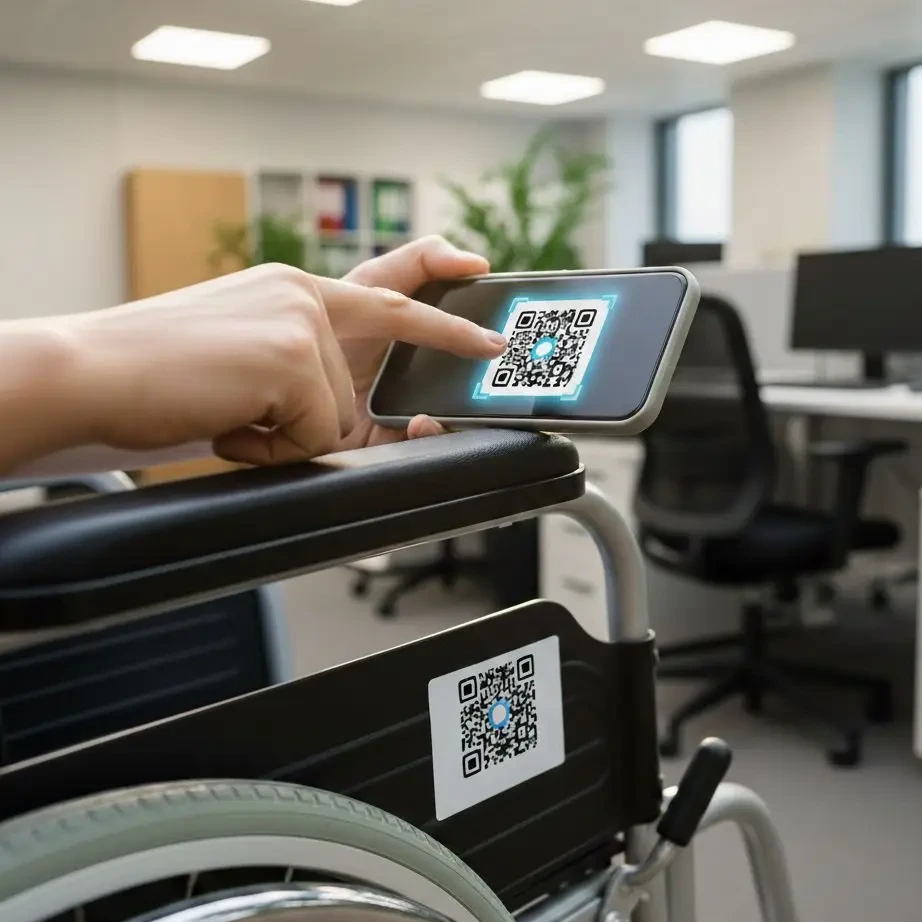
- The check-out When a participant needs a device, a team member scans the QR code on the item with their phone. The system immediately marks it as distributed on the master tracking sheet, removing it from active inventory in real time.
The Result
Where Else This Fits
The system tracks donated equipment for a Center for Independent Living, and the pattern is the same anywhere things arrive, get checked out, and need to be accounted for. The labels change; the form, the QR codes, and the automation do not.
- Food banks and pantriesDonated goods logged at intake with a tax receipt sent automatically, and pallets or shelf locations checked out with a scan.
- Libraries, schools, and youth programsLaptops, hotspots, sports gear, and instruments checked out to students and returned with a scan from a phone.
- Medical equipment loan closetsWheelchairs, walkers, and hospital beds loaned to community members, with every item’s location and condition known.
- Housing and shelter programsFurniture, household goods, and move-in kits tracked from donation to the family that received them.
- Disaster relief and mutual aidSupplies logged as they arrive and distributed with a record of where each item went.
- Any nonprofit with a supply closetTools, event equipment, and program materials that are borrowed, moved, and lost, now visible in one shared inventory.
Tools Used
- Google Forms
- Google Sheets
- Zapier
- QR Code Generation
The Least Glamorous Projects Pay Off Fastest
Tell us about the manual process that eats your team’s week and we will talk through whether a simple system could run it instead. Let’s talk about what a build like this could do for your organization.