
Solution Detail
Zero Entry Inventory: QR Code Inventory and Asset Tracking for Nonprofits
Nonprofit inventory tracking made simple. A donated item arrives, a staff member fills in one short form, and the system prints a QR code label, files the record, and sends the donor a tax receipt. Checking the item out later is one scan from a phone. No spreadsheet to keep in sync, no retyping, and no software subscription. Built on the Google tools your organization already has.
Who Uses This
The system was first built for a Center for Independent Living that manages donated assistive technology. The pattern is the same anywhere things arrive, get checked out, and need to be accounted for. The labels change; the form, the QR codes, and the automation do not.
- Food banks and pantriesDonated goods logged at intake with a tax receipt sent automatically, and pallets or shelf locations checked out with a scan.
- Libraries, schools, and youth programsLaptops, hotspots, sports gear, and instruments checked out to students and returned with a scan from a phone.
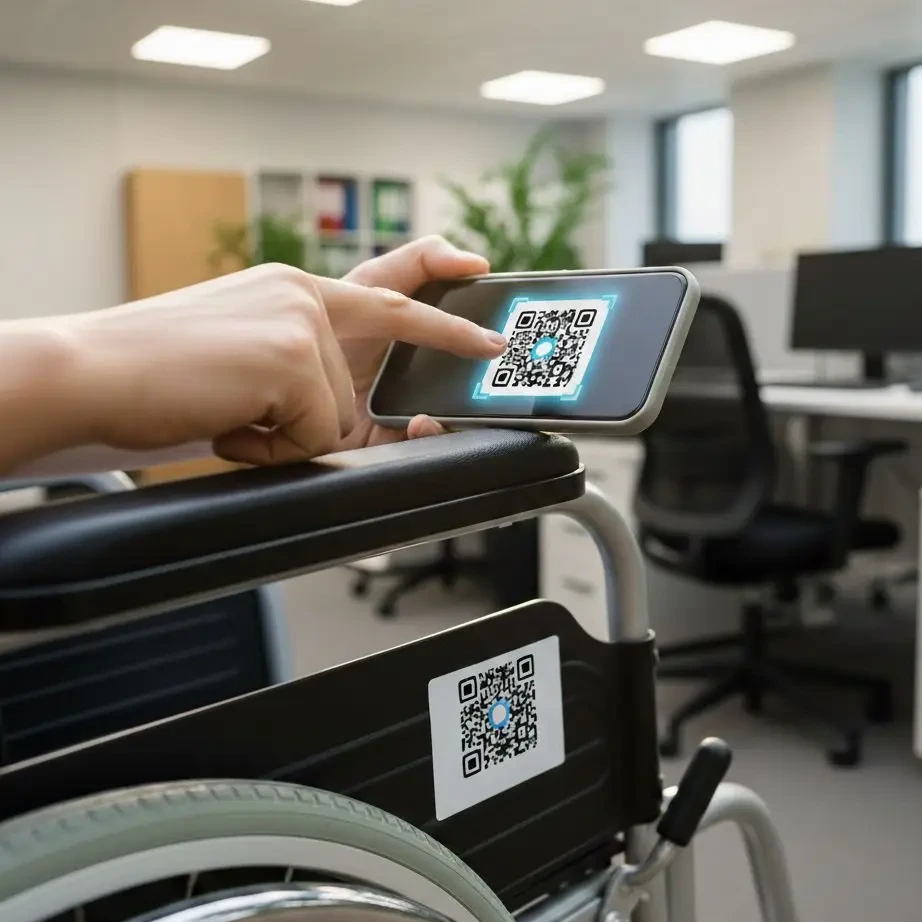
- Medical equipment loan closetsWheelchairs, walkers, and hospital beds loaned to community members, with every item’s location and condition known.
- Housing and shelter programsFurniture, household goods, and move-in kits tracked from donation to the family that received them.
- Disaster relief and mutual aidSupplies logged as they arrive and distributed with a record of where each item went.
- Any nonprofit with a supply closetTools, event equipment, and program materials that are borrowed, moved, or given away, now visible in one shared inventory.
The Nonprofit Inventory Tracking Problem
Most nonprofits track equipment and donated goods in a spreadsheet, and most of those spreadsheets are wrong. Items marked available may have been given away months ago. Multiple staff members keep different versions. A donor waits weeks for a receipt because nobody had time to write it. The worst moment is promising a device to someone and finding the shelf empty.
The fix for nonprofit inventory tracking is not a better spreadsheet. It is removing the typing. When every item is recorded once, at intake, and every movement in the future is a scan, the inventory stays accurate on its own.
How It Works
- Intake uses one simple form. When an item arrives, a staff member or volunteer fills in a short form on a phone or computer: what it is, its condition, and who donated it. That is the last time anyone types anything about that item.
- The system does the paperwork. The record is filed in the master inventory, a QR code label is generated for the item, and if a donor gave it, a tax receipt goes out automatically with the organization’s letterhead.
- Checkout is one scan. When the item goes to a community member, a program, or a shelf, a staff member scans the label with their phone and picks where it went. The inventory updates instantly.
- Leadership sees the whole picture. A live view shows what is on hand, what has gone out, what came from whom, and what a program has distributed this quarter, ready for a grant report.
What You Get
- One accurate inventoryA single master list that every staff member sees, with no duplicate versions and no ghost items.
- QR code labelsPrinted for each item at intake, readable by any phone camera, no special scanner needed.
- Automatic donor receiptsTax receipts sent the moment a donation is logged, on your letterhead, with the details the donor needs.
- Check-out and return historyWhere every item went, when, and who handled it.
- Reports without the scrambleCounts by program, by period, and by funding source, drawn from the same record.
- Your own accountsEverything runs in your organization’s Google Workspace and automation accounts. You own the data and the system.
Proven at Able South Carolina
Able South Carolina runs an assistive technology and donated equipment reuse program. Inventory challenges and conflicting spreadsheets were creating real problems for staff and for the people waiting on equipment. After the switch, the team went from guessing to knowing, manual data entry went to near zero, and automating tax receipts returned significant administrative time to the finance and development teams. Read the Able South Carolina case study.
Accessible, Owned, and Simple to Keep Running
The forms and inventory view are accessible and can be used on any phone. There is nothing to install. The system is built on Google Forms, Google Sheets, and a small amount of automation, all inside accounts your organization owns, so there is no NonprofitNext subscription and no vendor to depend on. Because the tools are ones your staff already know, a new volunteer can be logging donations in a few minutes.
How We Protect the Information You Trust Us With
This system uses automation and features built into Google. Donor names and addresses live only in your organization’s own Google account, and receipts are sent from your own email. NonprofitNext keeps nothing: because your organization owns the accounts and the system, no data or records belonging to your organization ever sit with us.
Tools Used
- Google Forms
- Google Sheets
- QR Code Labels
- Zapier Automation
- Automatic Tax Receipts
See What Your Inventory Could Look Like
Pricing for the inventory system is published in our Investment Guide. The fastest way to judge it is a short demonstration: we will log a sample donation, print the label, and check it out with a phone while you watch.