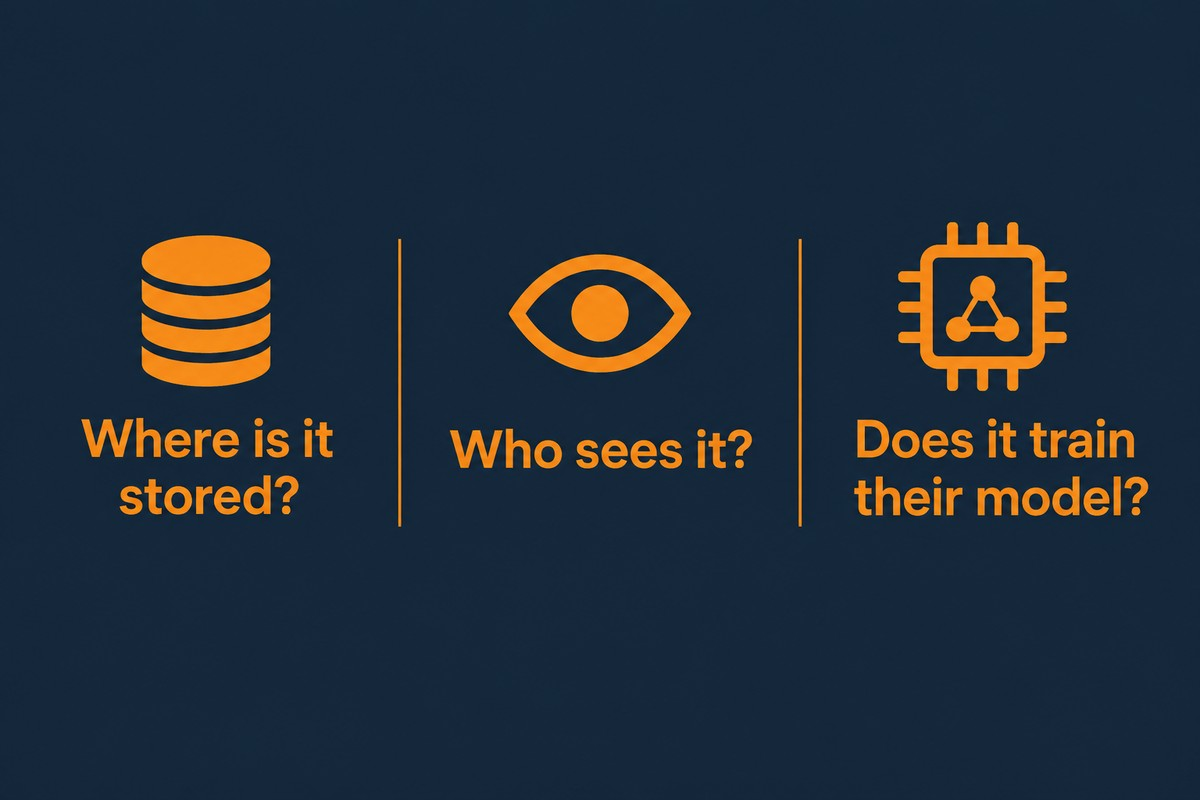
Before connecting an AI tool to client data, get plain answers to three questions: where the data is stored, who can access it, and whether the provider uses it to train its models. This conversation may take ten minutes, and it can help prevent one of the most expensive mistakes a nonprofit can make with AI.
The people many nonprofits serve are in difficult situations. Many have good reason to be careful about where their information goes. That trust is part of what makes your programs work, and it deserves protection before a tool goes live, not after something goes wrong.
In this post: the three questions you should be asking, the habit that keeps you safe, what it looks like in practice, and how to put it in writing.
The Three Questions to Ask Before Sharing Data
Before sensitive information goes into an AI tool or other technology platform, get answers to three questions.
Where is the data stored, and for how long? Some tools retain what you enter. Others delete it quickly. You need to know which applies, how long the information is retained, and where the servers holding it are located.
Who can access the data? The answer might be only your staff, the vendor's employees, or a contractor you have never heard of.
Is the information you share used to train the model? Some free tools may use what you share to improve their systems, depending on their terms and settings. That may be acceptable for a generic email. It is not acceptable for a client's history, donor information, or your financial records.
If a vendor cannot answer these three questions in plain terms, that tells you what you need to know. Move on.
A Practical Rule for Protecting Private Information
Here is the habit I teach: draft with general prompts and placeholders, then add the specific details yourself in your own systems after the draft exists. The tool helps with the words. It does not need the private information behind them.
A generic thank-you template can be appropriate to write in a public tool. A donor's giving history, a client's case notes, and anything a person trusted you to hold in confidence should stay out. This rule reduces much of the avoidable risk that can come with using AI.
What This Looks Like in Practice
Imagine a case manager who wants help organizing notes from a difficult client visit. The fast, risky approach would be to paste the client's name, situation, and notes into a free chatbot and ask for a clean write-up to copy into a database. A safer approach can produce a useful draft without sharing client details. The case manager writes a general version with identifying details removed or replaced with placeholders, asks the tool to tighten the structure and language, then adds the real names and specifics inside the organization's own case system. The tool can still save time without receiving client data.
Put the Rules in Writing
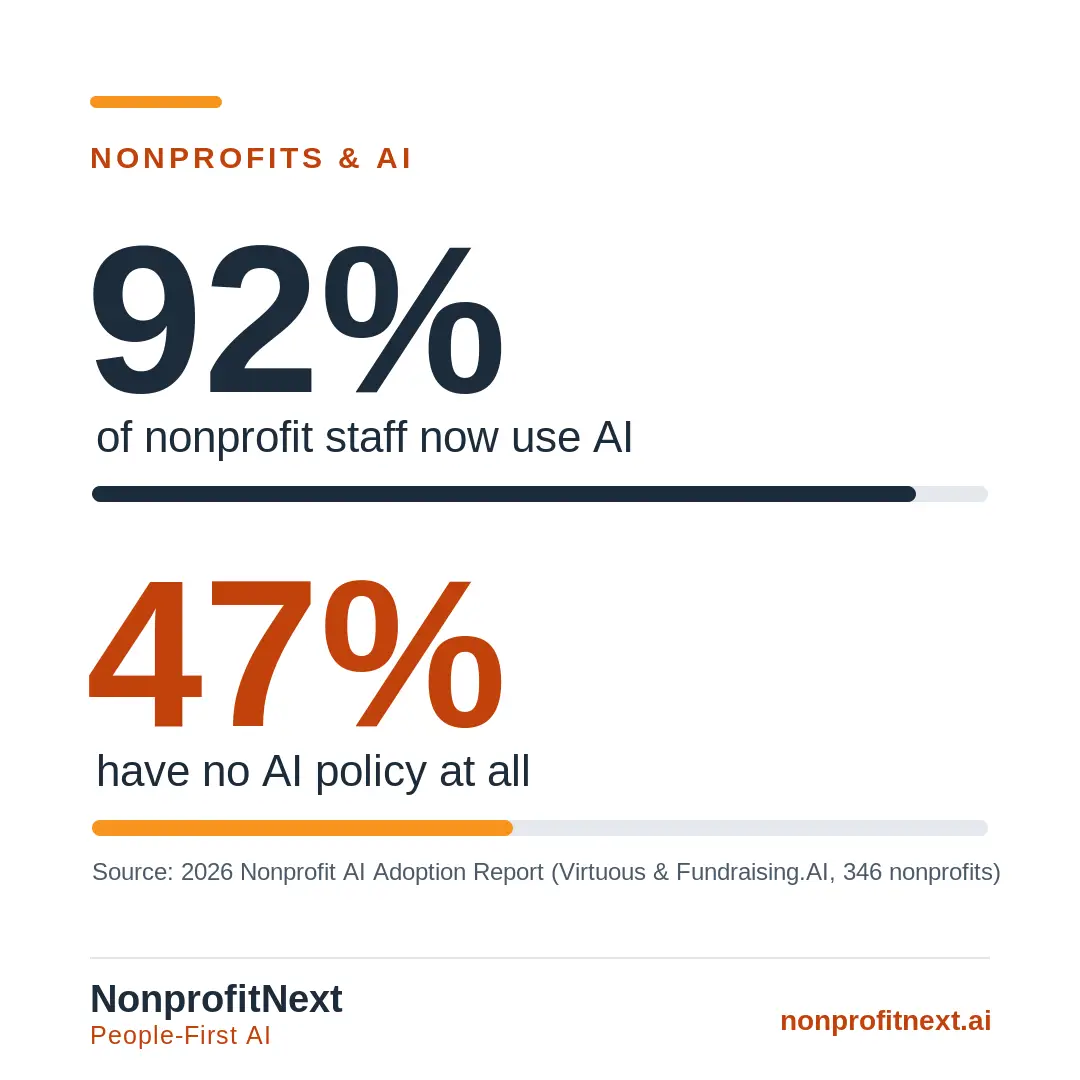
If your organization has not put these rules in writing, now is the time. A short policy that names approved AI tools, explains what information must never be shared, and tells staff who to ask when they are unsure will do more for you than a one-time decision. You can draft a first version in an afternoon, and our nonprofit AI policy guide walks through what to include.
Protecting client data rarely makes headlines, but it helps preserve the trust your work depends on.
Common Questions About AI and Client Data
Is it safe to use free AI tools at a nonprofit?
It depends on the tool's terms, settings, and the work you are asking it to do. Free tools may be appropriate for general, non-sensitive work, but client and donor data should stay out unless your organization has reviewed and approved the tool for that use.
What counts as sensitive data?
Sensitive data includes anything that identifies a person or that they trusted you to hold in confidence: names connected to personal situations, case notes, giving histories, health or financial details, and immigration status. When you are unsure, treat it as sensitive.
Do we need a lawyer to write an AI policy?
Not necessarily. A short, plain-language policy that lists approved tools, explains what information must never be shared, and tells staff who to ask is enough to start. If your work is subject to legal, contractual, or funder requirements, ask the appropriate adviser to review it.
What if a staff member already pasted client data into a tool?
Do not panic, and do not hide it. Document what was shared, which tool received it, and when it happened. Check the tool's data settings and your organization's incident-response requirements, then use what you learn to put clear rules in writing.
Want help developing your AI use policy? I am glad to talk with you. Schedule a call with me at calendly.com/larry-nonprofitnext/30min.
Larry is the co-founder and Principal Innovation Strategist at NonprofitNext. Learn more at nonprofitnext.ai.